
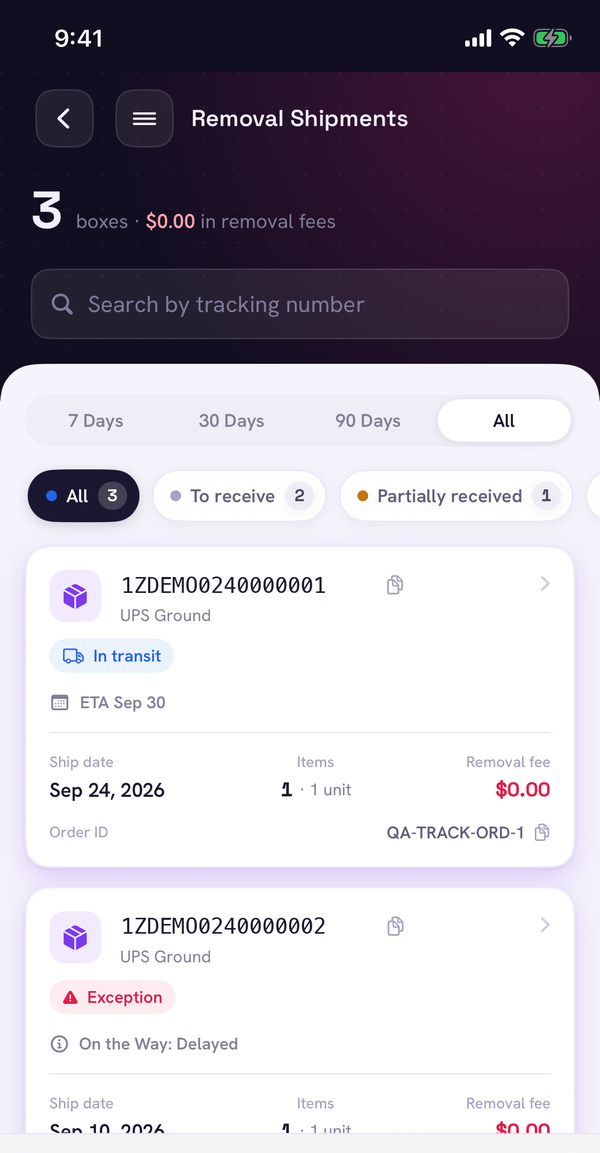
Every removal box, with its carrier status.
Sellerfy turns each removal order into the boxes Amazon actually shipped, with the tracking number and live status on every one — so you know what's coming before it hits the dock.
- Boxes grouped by removal order, with units expected per box
- Carrier status on each box: In transit, Out for delivery, Delivered, Exception
- Filters for what needs attention: delivered but not checked in, partially received
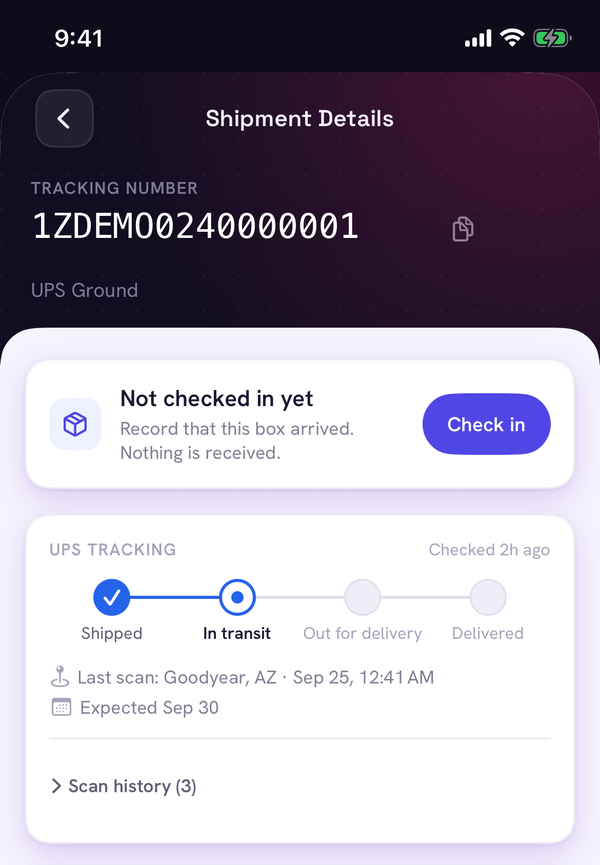
Scan the label. Count the units. Done.
On the iOS app your team scans a box label to check it in, then unboxes it — scanning each unit's LPN or counting by SKU. Sellerfy knows what should be inside each tracking number, so nobody has to cross-check a spreadsheet.
- Check in boxes the moment they arrive, even before you open them
- Scan LPNs or count units, whichever your warehouse prefers
- Spanish on warehouse screens for bilingual teams
Short boxes become claims, not write-offs.
Amazon doesn't reimburse removal shortages automatically, and the claim windows are short. When a box comes up short, Sellerfy drafts the claim with the removal order, tracking number, expected vs received quantities and your photos.
- Expected vs received per box and per SKU
- Photo evidence attached from the phone
- 0% commission on what you recover
Box claim — expected 24, received 21: 3 units ready to claim, with evidence.
From return to resale to reimbursement.
Removals are one part of the story. Sellerfy follows each unit through testing and grading, resale, and reimbursement recovery, and rolls it all into a profit and loss that includes returns and recoveries.
- RMA lifecycle: ready to test, tested, ready to sell, resold, salvaged
- Reimbursement recovery with case tracking
- P&L with cost of goods, fees, returns and reimbursements
RMA pipeline — every returned unit, from ready to test to resold.
Sellerfy vs doing it by hand.
| What you need | Sellerfy | Spreadsheets | Generic returns tools |
|---|---|---|---|
| Live carrier status per removal box | Automatic | Manual lookups | Not FBA-aware |
| Expected vs received per box | Automatic | Manual | Not supported |
| Check in and unbox on a phone | iOS app | No | Varies |
| Missing-unit claim with evidence | Drafted for you | Write it yourself | Not for Amazon |
| Commission on recoveries | 0% | — | — |
Frequently asked questions
What is FBA removal management software?
It connects to your Amazon account, pulls your removal orders and shipments, and tracks each box from the fulfillment center to your door. When boxes arrive it helps your team check them in, count or scan the units, and spot anything Amazon shipped that never arrived.
Does Sellerfy file claims for missing removal units?
Sellerfy compares every box with what Amazon says it shipped and drafts the claim for missing units with the quantities and evidence attached. There is no commission on what you recover.
Do I need special hardware?
No. Your team uses the Sellerfy iOS app to scan box labels and unit barcodes with the phone camera. The web dashboard works in any modern browser.
Which carriers can Sellerfy track?
Sellerfy shows live tracking for removal shipments delivered by UPS, with carrier status like In transit, Out for delivery, Delivered and Exception on each box.
Is there a free trial?
Yes — 7 days, no credit card required. Pricing is tailored to your operation; book a call or email sales@sellerfy.io.